
The desktop app
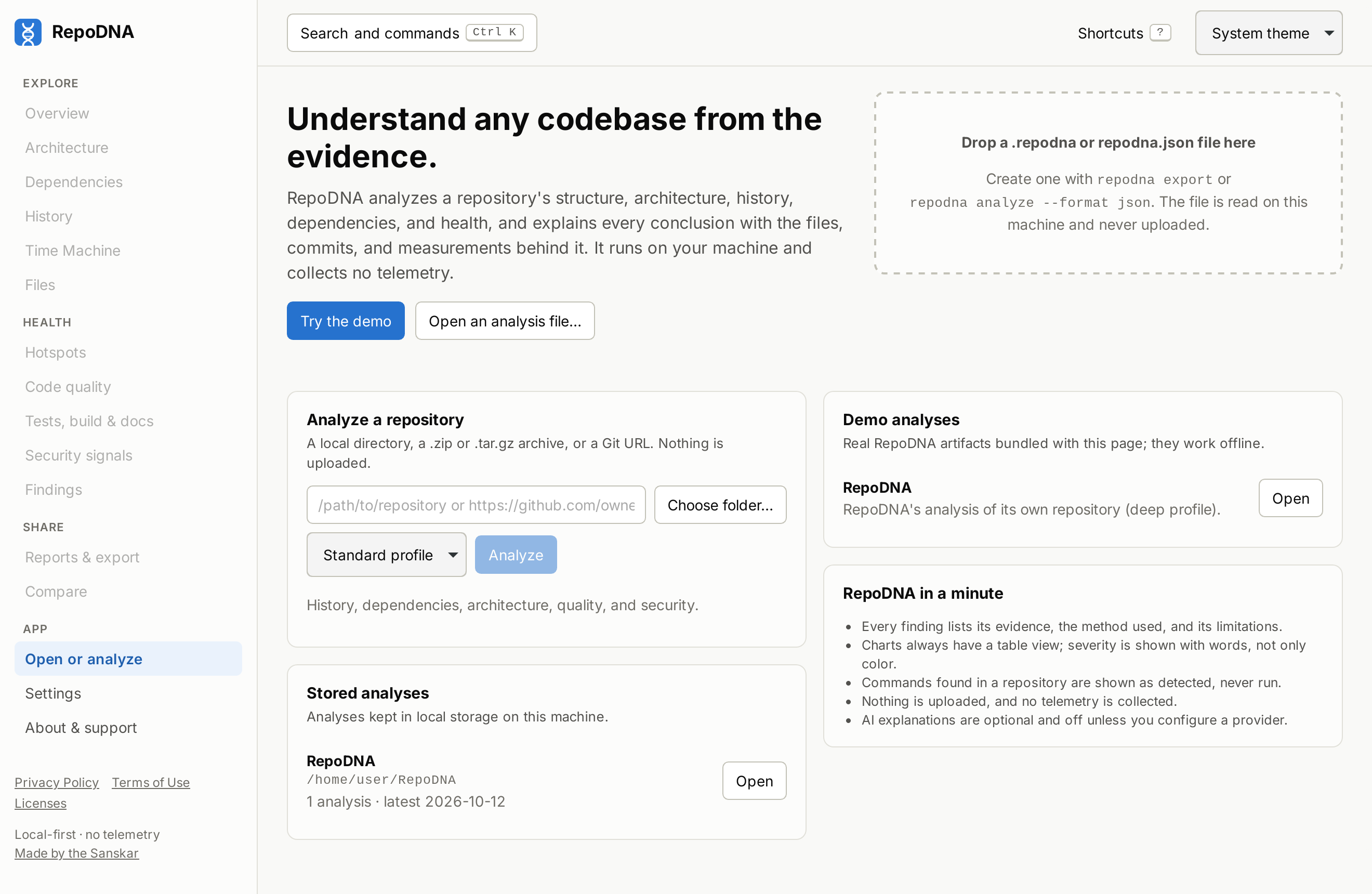
The desktop app is the RepoDNA web interface in a native window, built with Tauri. It talks to the same Rust core as the command line through native calls instead of HTTP, so there is no server, no port, and no sign-in link.
Install#
Installers are attached to each release:
| Platform | File |
|---|---|
| Debian, Ubuntu | RepoDNA_<version>_amd64.deb |
| Fedora, openSUSE | RepoDNA-<version>-1.x86_64.rpm |
| macOS (Apple silicon and Intel) | RepoDNA_<version>_universal.dmg |
| Windows | RepoDNA_<version>_x64_en-US.msi or RepoDNA_<version>_x64-setup.exe |
On Linux the app needs WebKitGTK 4.1 (libwebkit2gtk-4.1-0), which the packages declare
as a dependency. The Linux packages are built on Ubuntu 24.04.
The installers are not signed with a developer certificate, so the system asks for confirmation the first time. On macOS, open the app once, then choose Open Anyway in System Settings > Privacy & Security. Windows SmartScreen may show "Windows protected your PC": choose More info, then Run anyway. See installation.
To build it yourself, see apps/desktop/README.md.
Use#
- Analyze a repository: choose a folder with the native folder picker, or enter an archive path or a Git URL, pick a profile, and start. Progress is shown while it runs.
- Stored analyses are the same ones the command line uses: an analysis made with
repodna analyzeappears in the app, and the other way around. - Open an analysis file (
repodna.jsonor.repodna), by choosing it or dropping it on the window, or try the demo. - Save reports: the Reports view saves the HTML report, the Markdown report, the JSON
artifact, or the full report folder through native save dialogs, named after the
analysis, such as
repodna-widget-2026-10-10.html. The report folder never replaces one saved before: a second one gets-2, and so on. The Project DNA card is saved from its own panel, as SVG or PNG, light or dark as its preview shows it. Tables are saved as CSV files the same way, with Download CSV under each one. - Print a view, or save it as PDF, with Print this view in the command palette (Ctrl/Cmd + K).
- Every view, search, and keyboard shortcut of the web interface works the same way.
- About & support shows the version, the project's links, and ways to support RepoDNA; the Privacy Policy, the Terms of Use, and the licenses are linked at the bottom of the sidebar.
Privacy and security#
- Everything stays on your machine; the app makes no network requests of its own. Cloning
a Git URL uses your
gitinstallation, as the command line does. - The page has no access to the file system or the shell: reading, analyzing, and saving happen in Rust, through a fixed set of commands. File dialogs are native.
- Links open in your default browser, and only
https://links are opened. - The window enforces a Content Security Policy that allows no remote content.
Data#
The app uses the same storage and user configuration as the command line (see
privacy); REPODNA_HOME works for both. Settings
and plugins enabled in your user configuration apply to analyses started from the app. AI
explanations are available from the command line (repodna explain).