Precise, multi-track video editing.
On your own machine.
FrameTrellis is a local-first, open-source desktop video editor. Import your footage, arrange it on a multi-track timeline, trim and adjust it, and export an MP4. There is no account, no cloud processing, no telemetry and no advertising.
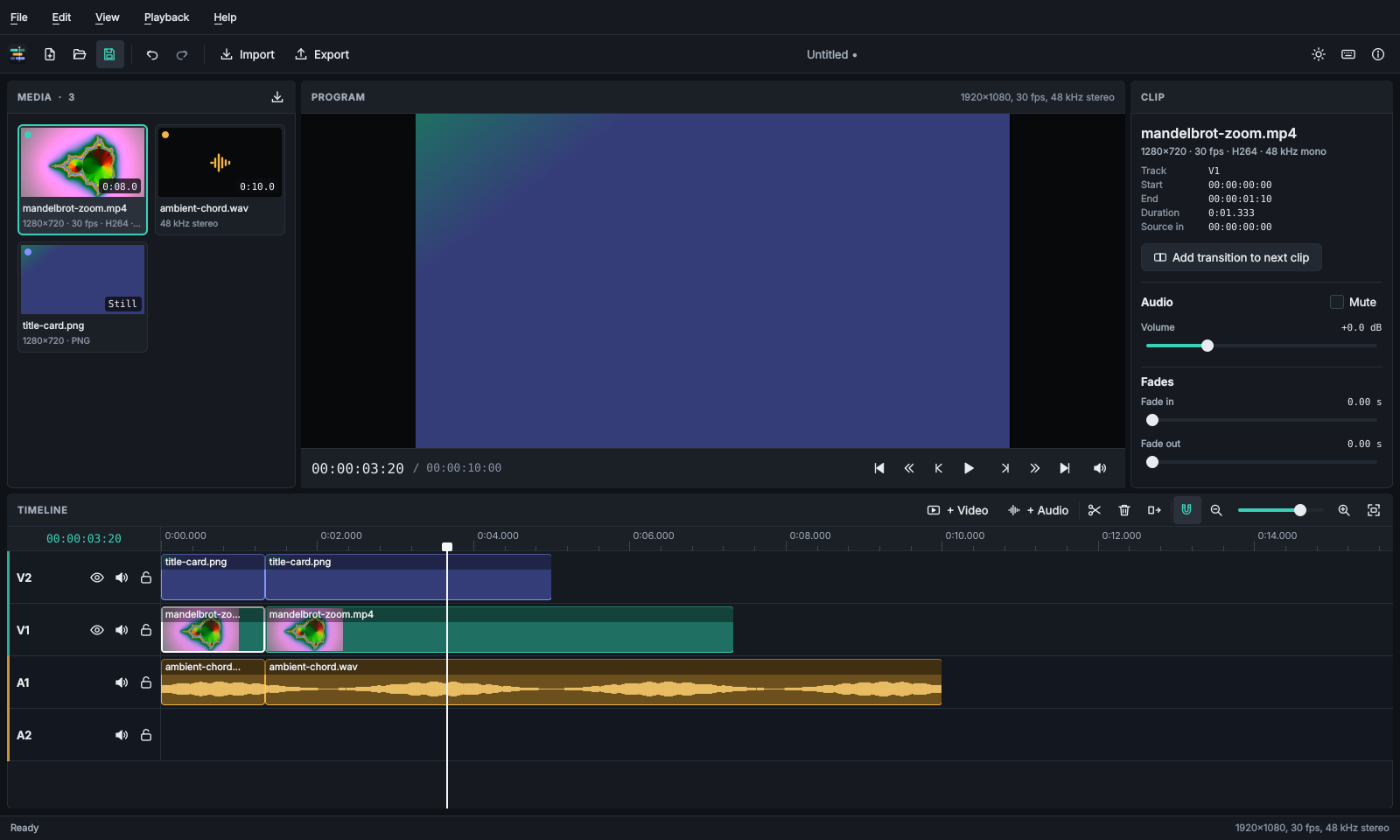
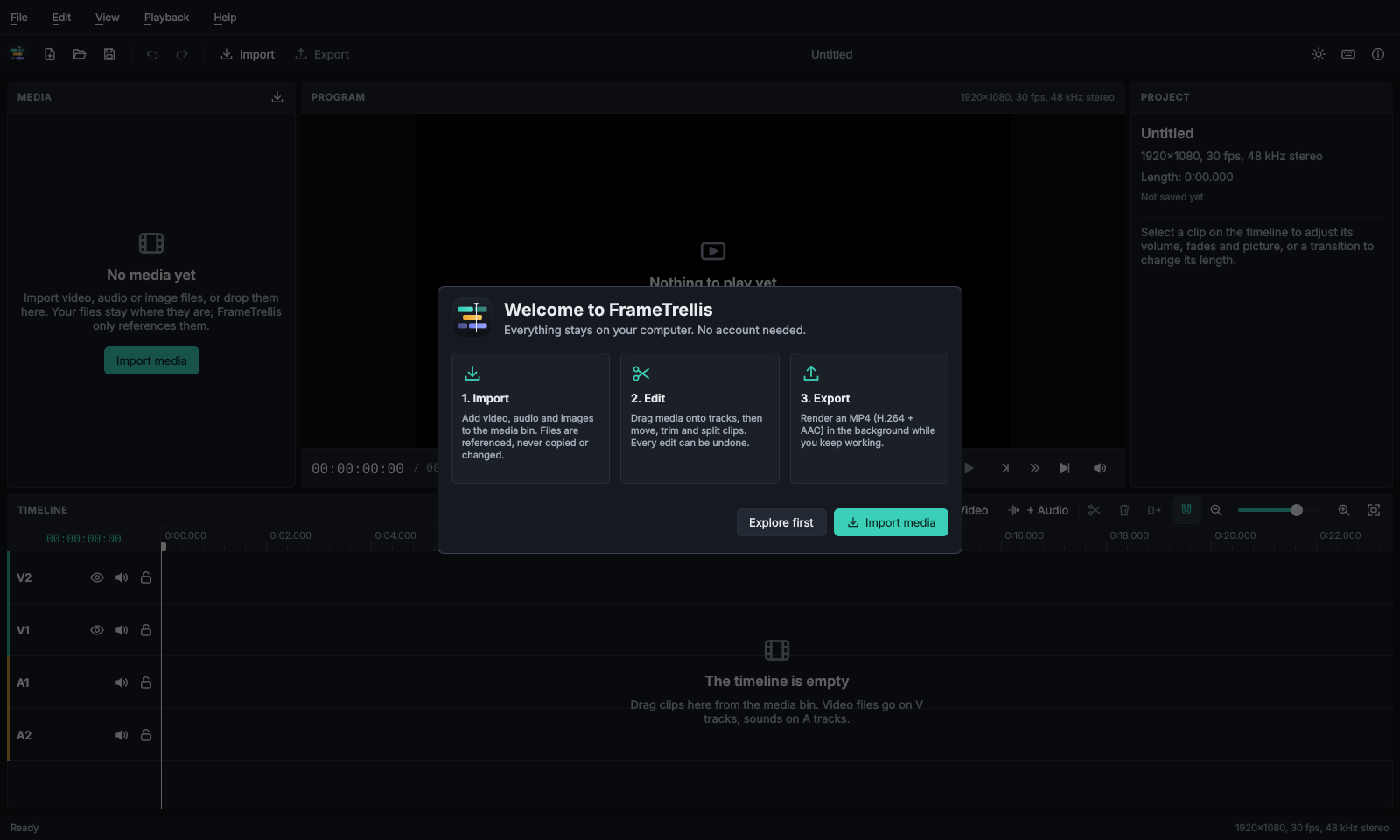
An unedited screenshot of the editor, taken by the automated interface tests with generated media.
What you can do today
Everything listed here is implemented and covered by automated tests. Features that are still planned are listed separately below and in the roadmap.
Import anything FFmpeg reads
Video, audio and still images are probed in the background, with real thumbnails and duplicate detection.
Multi-track editing
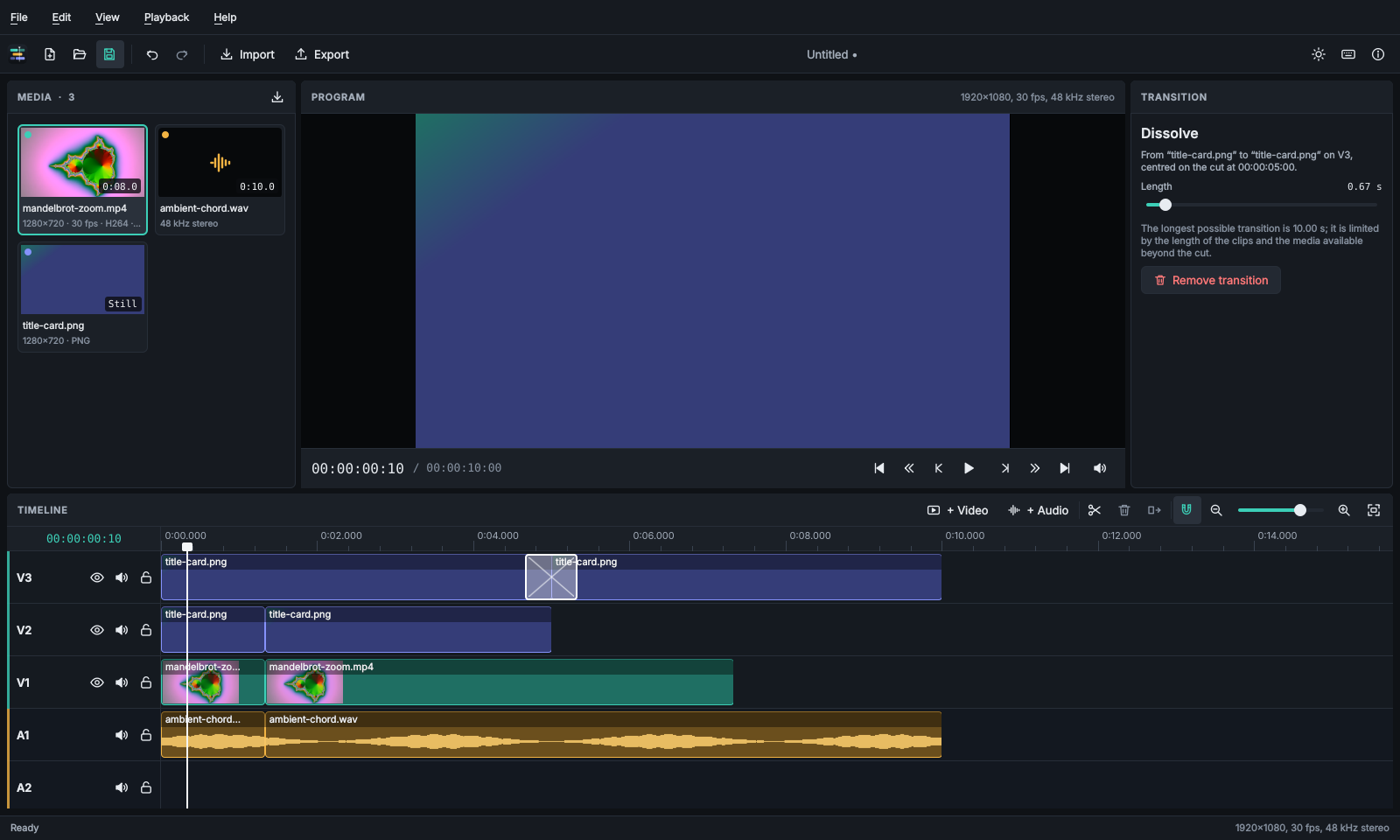
Video and audio tracks. You can move clips (also between tracks), trim either edge, split at the playhead and ripple delete. Clips snap to edit points, and touching clips can be joined with a dissolve or crossfade.
Real-time playback
Preview with synchronised audio, frame stepping, edit-point navigation and frame-accurate timecode, including drop-frame.
Audio and picture
Clip volume, mute, fades and opacity, plus brightness, contrast and saturation. Audio clips show their real waveform, and you can mute, hide or lock whole tracks.
Undo everything
Every edit can be undone, up to 500 steps. Autosave runs every minute and offers crash recovery, and saves are atomic, so the previous file is never damaged.
MP4 that is checked
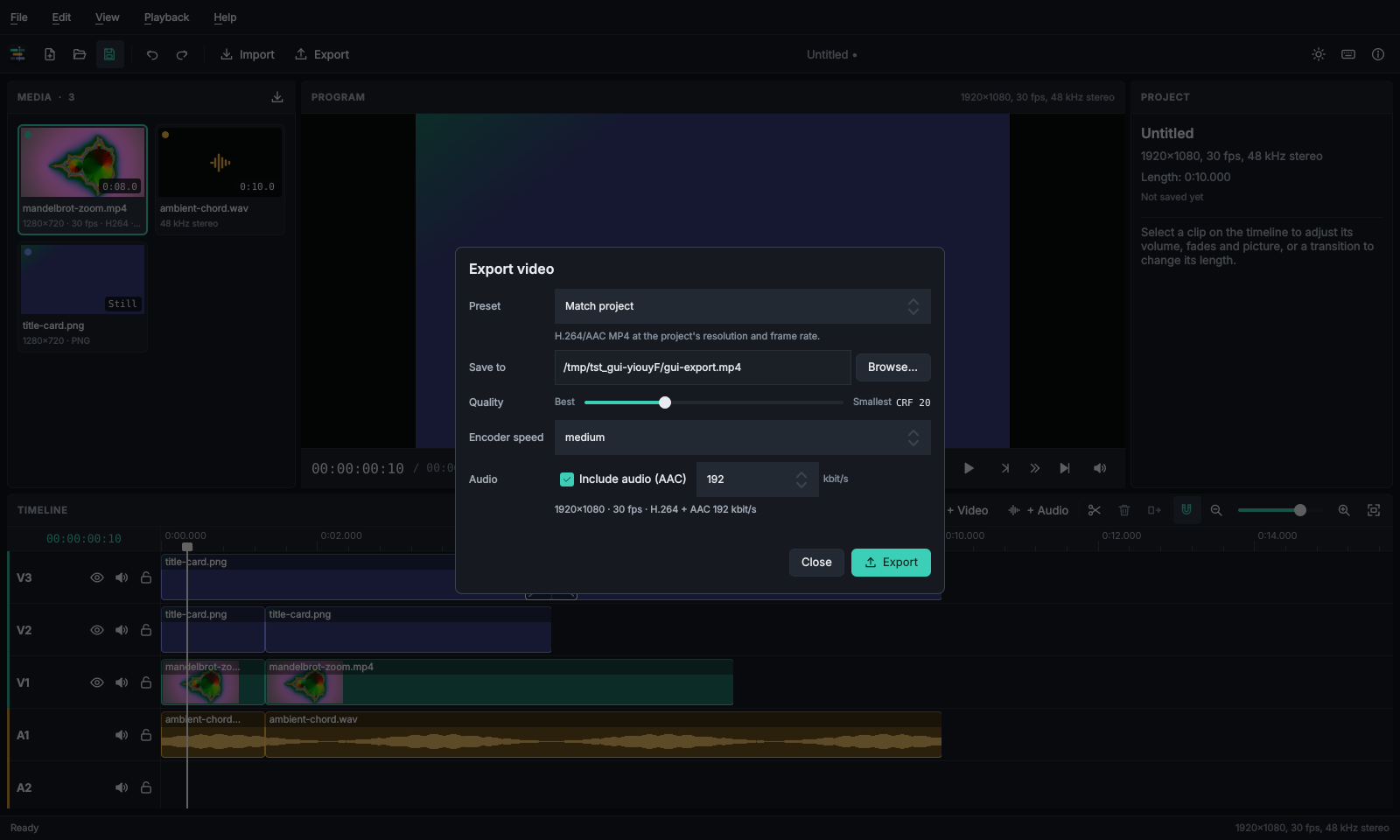
H.264 + AAC with presets, quality and speed settings. Exports run in a separate process with progress and cancel, and each file is verified before it is kept.
How it works
The usual edit takes five steps. The user guide covers each one in detail.
Import
Use File → Import Media (Ctrl+I), or drop files onto the media bin.
Arrange
Drag clips from the bin onto video and audio tracks, or double-click a clip to append it.
Edit
Drag clips to move them and drag their edges to trim. Press S to split and Delete to remove.
Adjust
Set volume, fades, opacity and colour for the selected clip in the inspector.
Export
Use File → Export (Ctrl+E). You can keep editing while it renders.
Local-first, by design
Your footage is yours. FrameTrellis works entirely offline and never changes your source files.
- No account, no sign-in, no telemetry, no ads and no AI services.
- Editing is non-destructive. Projects only reference your media; they never move or overwrite it.
- Projects use an open, versioned, validated JSON format (
.ftproj) that is documented in full. - Project files and media are treated as untrusted input. The program reads them, never runs them.
- If you move the project folder, its media is still found through relative paths, and missing files can be relinked.
Under the hood
FrameTrellis is a native application built on proven open-source multimedia components.
- C++20 with Qt 6 and Qt Quick for the interface.
- The MLT Multimedia Framework for compositing and playback, with FFmpeg for decoding and encoding.
- Integer frame counts and exact rational frame rates, so edits never drift.
- Exports run in a separate render process, so a failing codec cannot take your project down with it.
- Unit, integration and interface tests run on Linux and Windows on every change.
Screenshots
All screenshots are unedited captures of the editor, produced by the automated tests.
Platforms
A platform is only called supported once its builds and packages have been verified.
| Platform | Status |
|---|---|
| Windows 11 and Windows 10 (x64) | Supported. An installer and a portable ZIP, verified automatically on clean Windows machines before each release. Download FrameTrellis 1.0.0. |
| Linux (x86-64) | Built and tested in CI on Ubuntu 24.04. For now you build it from source; a packaged Linux release is planned. |
| macOS | Not supported yet (planned). |
Coming next
These features are planned and not available yet. The roadmap has the full list.
Titles
Simple text overlays for titles and captions.
Keyframes
Animate opacity, volume and position over time.
Subtitles
Import, edit and export SRT subtitles, or burn them into the video.
More platforms and formats
Linux and macOS packages, plus WebM, ProRes and audio-only export.
Get involved
FrameTrellis is developed in the open, and all contributions are welcome: bug reports, documentation, tests and code.
License
FrameTrellis is free software under the GNU General Public License, version 3 or (at your option) any later version. You may use, study, share and improve it. The licensing page explains the choice and how it fits the licenses of Qt, MLT and FFmpeg.