Building a Privacy-First Spell Checker That Works Locally: Inside SpellChecker
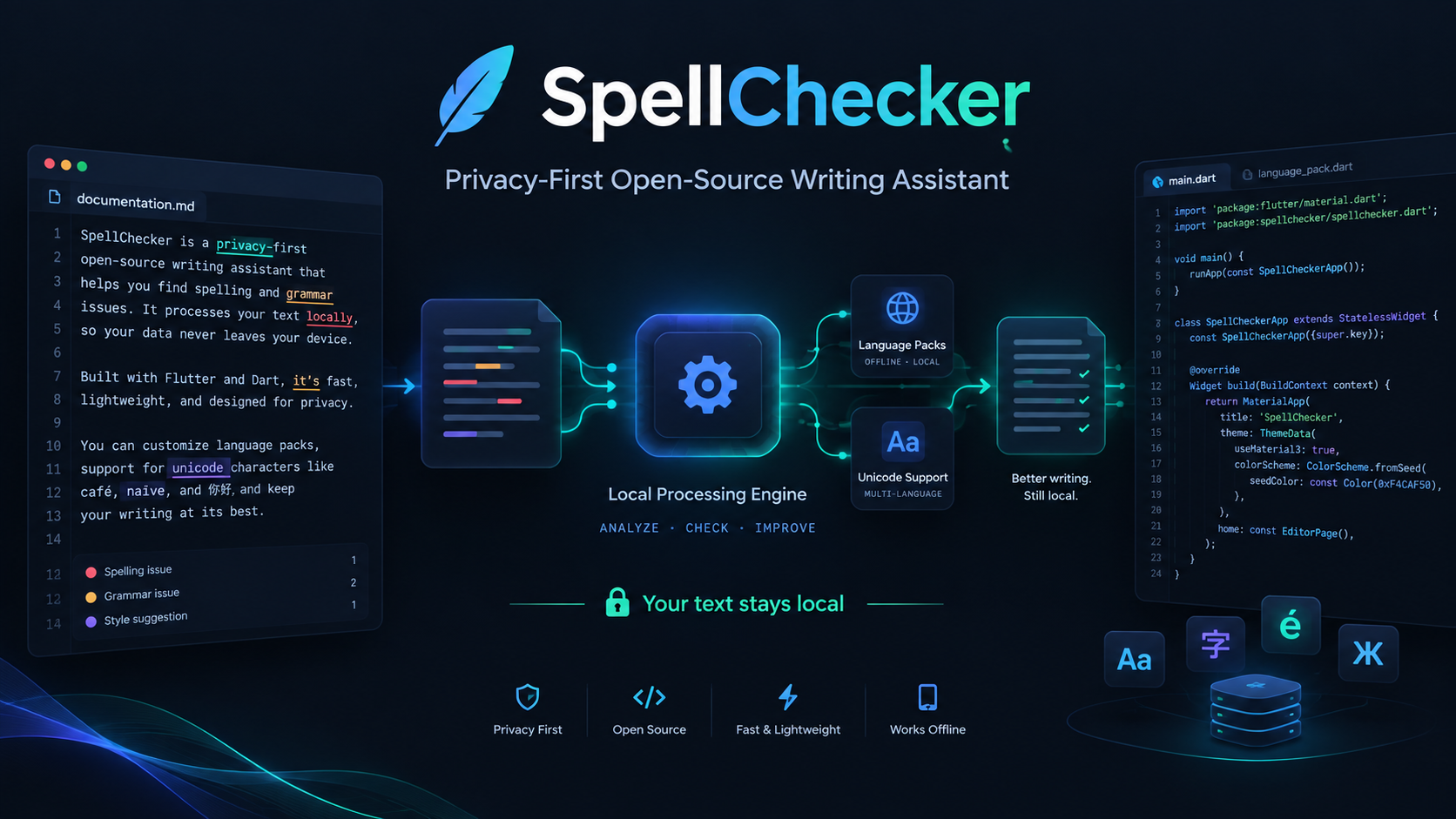
SpellChecker is an open-source Flutter project focused on local, privacy-first spelling and writing assistance across multiple platforms.
Building a Privacy-First Spell Checker That Works Locally: Inside SpellChecker
Modern software increasingly depends on cloud services.
That can be extremely useful. Cloud infrastructure can provide powerful models, centralized processing, synchronization, analytics, and continuously updated services. But there are also applications where sending information to a remote server is not necessarily the best architecture.
Writing assistance is one of those areas.
When someone writes a private document, drafts source code, prepares notes, writes a personal journal, creates a business document, or simply types something they do not want leaving their device, privacy becomes an important engineering consideration.
That is one of the ideas behind SpellChecker, an open-source Flutter project focused on privacy-first, local spelling and writing assistance.
SpellChecker is designed around a straightforward principle:
Useful writing assistance does not always need a remote service.
Instead of treating local processing as merely a fallback, the project explores what happens when local processing is part of the product architecture itself.
The current project provides spelling analysis, correction suggestions, writing-rule analysis, personal vocabulary, offline language packs, keyboard-oriented review, reusable Dart APIs, and support for Android, iOS, Linux, macOS, Windows, and Web. The repository currently documents thirteen explicit offline language packs and ten built-in writing rules.
This article takes a closer look at the project, the problems it tries to solve, the engineering decisions behind it, and why privacy-first developer tools are worth building.
Why Build Another Spell Checker?
At first glance, spelling correction looks like a simple problem.
Take some text.
Find words.
Check them against a dictionary.
Offer alternatives.
Fix mistakes.
But a serious writing assistant becomes much more complicated once real-world requirements enter the picture.
A useful system has to think about:
- different languages
- Unicode text
- punctuation
- capitalization
- repeated words
- whitespace
- personal vocabulary
- correction safety
- editing ranges
- long documents
- deterministic behavior
- platform differences
- offline operation
- reusable APIs
- accessibility and keyboard workflows
The engineering challenge is therefore not simply “find misspelled words.”
It is building a text-processing system that behaves predictably while preserving the user's control over their content.
That is where SpellChecker becomes interesting.
Privacy as an Architecture Decision
Privacy is often discussed as a policy statement.
A product might say that it respects privacy, encrypts information, or minimizes data collection.
Those things can matter, but software architecture can also influence how much information needs to leave the device in the first place.
SpellChecker takes a local-first approach.
According to the current project documentation, the bundled application does not send editor text to a remote spelling or grammar service and does not require accounts, telemetry, cloud writing, or document uploads for its local writing workflow.
That changes the architecture considerably.
Instead of building the core experience around:
User text
   ↓
Network request
   ↓
Remote service
   ↓
Response
   ↓
Editor
the local processing model is conceptually closer to:
User text
   ↓
Local analysis engine
   ↓
Spelling / writing findings
   ↓
Suggestions and corrections
   ↓
Editor
The difference is important.
The application does not have to assume that the network is available in order for the basic writing workflow to function.
That provides another benefit beyond privacy:
predictability.
When analysis happens locally, network latency is no longer part of the core spelling-checking loop.
Offline Does Not Mean Basic
“Offline” is sometimes interpreted as meaning that a product provides only a very small feature set.
SpellChecker takes a different direction.
Its current documentation describes thirteen explicit offline language packs:
- English (US)
- English (UK)
- Hindi
- Spanish
- French
- German
- Portuguese (Brazil)
- Italian
- Bengali
- Marathi
- Tamil
- Telugu
- Russian
The project also keeps personal vocabulary separate by language.
This matters because multilingual text processing is not simply a matter of changing a dictionary.
Different languages introduce different assumptions about:
- word boundaries
- capitalization
- punctuation
- morphology
- vocabulary
- Unicode characters
- user expectations
A local multilingual architecture therefore requires clear boundaries between language-specific resources and the core analysis engine.
The Writing Assistant Goes Beyond Spelling
Spell checking is only one part of writing quality.
A sentence can contain correctly spelled words and still contain obvious writing problems.
For example:
This sentence has too many spaces.
Or:
Hello world!!
Or:
this sentence does not start correctly.
Those are not necessarily spelling errors.
They are writing-quality issues.
SpellChecker includes built-in local writing rules covering areas such as repeated words, capitalization, spacing, punctuation, trailing whitespace, repeated punctuation, and advisory unmatched delimiters.
That creates a more useful model:
                 ┌─────────────────────┐
                 │       Editor        │
                 └──────────┬──────────┘
                            │
                            ▼
              ┌──────────────────────────┐
              │       Text Analyzer      │
              └─────────────┬────────────┘
                            │
             ┌──────────────┼──────────────┐
             ▼              ▼              ▼
        Spelling       Writing Rules    Diagnostics
             │              │              │
             └──────────────┼──────────────┘
                            ▼
                     Review Interface
This separation is useful because it allows spelling and writing analysis to evolve independently.
Deterministic Corrections Matter
One of the most important concepts in a text editor is that a correction should not unexpectedly modify the wrong part of the document.
Suppose a user has ten findings in a paragraph.
The application identifies ranges for those findings.
The user then edits the document.
Those original ranges may no longer point to the same characters.
An unsafe correction system could potentially apply stale changes.
SpellChecker therefore places emphasis on deterministic and source-range-safe corrections. Its documentation describes verification of current source ranges before mutation and a conservative overlap policy for batch writing fixes.
That leads to a broader software-engineering principle:
A correction engine should verify the text it is about to modify.
This is especially important when multiple corrections are applied together.
Why Unicode Support Is a Serious Engineering Problem
Text is much more complicated than ASCII.
Modern applications regularly handle:
- accented characters
- multiple writing systems
- combining marks
- emoji
- multilingual text
- zero-width characters
- different representations of visually similar text
A system that assumes every character occupies one simple byte or one simple code unit can quickly run into indexing problems.
SpellChecker explicitly documents Unicode-aware tokenization and edit-distance processing, while also accounting for Dart and Flutter UTF-16 text-editing offsets.
This is an important technical detail because analysis and editing operate at different layers.
A conceptual model looks like this:
User-visible text
       ↓
Unicode-aware tokenization
       ↓
Analysis representation
       ↓
Matching / ranking
       ↓
Source ranges
       ↓
Flutter text editing offsets
Each stage has to remain consistent.
Otherwise a visually correct suggestion could produce an incorrect edit location.
Suggestion Ranking
Finding a misspelled word is only the first step.
The next question is:
What should the user replace it with?
Imagine the user types:
enviroment
A useful writing assistant should do more than say:
Unknown word
It should ideally suggest plausible corrections.
That means the system has to reason about candidate words and rank them.
A simplified concept might look like:
Input:
enviroment

Candidates:
environment
environments
environmental
Then the engine can rank candidates according to an appropriate similarity strategy.
Distance-based algorithms can be useful here, but real applications also need practical limits.
Generating enormous candidate lists is unnecessary if the interface only needs a handful of useful suggestions.
That is why bounded analysis can be valuable.
SpellChecker documents explicit result limits for the bundled interface, including the first 200 spelling issues and first 200 writing findings, while allowing writing analysis to report exact totals.
This is an example of engineering for real interfaces rather than purely theoretical processing.
Large Documents Change the Problem
A text editor might contain a few sentences.
Or it might contain thousands of paragraphs.
The algorithm cannot simply assume that every document is tiny.
Large inputs introduce questions such as:
- How much work should happen immediately?
- How many issues should be displayed?
- How should the UI communicate that results are limited?
- Can the user continue editing while analysis is happening?
- How should repeated analysis be controlled?
- What happens when a document changes during analysis?
These are product and engineering questions at the same time.
Bounded result semantics provide one useful strategy.
Rather than pretending that the interface will display an unlimited number of findings, a system can explicitly communicate that it has captured a bounded set.
That makes the behavior easier to reason about.
Keyboard-First Writing
A writing assistant is often used while someone is already typing.
That makes keyboard interaction especially important on desktop environments.
SpellChecker includes keyboard-oriented review workflows, with shortcuts for checking text, opening writing insights, moving between spelling issues, searching the writing-insights interface, and clearing or closing transient review state.
A good keyboard workflow can reduce the friction between:
Notice issue
      ↓
Review issue
      ↓
Choose suggestion
      ↓
Apply correction
Instead of forcing users to constantly switch between keyboard and mouse interactions, keyboard-first review makes the assistant fit more naturally into an editing workflow.
Cross-Platform Development With Flutter
SpellChecker is built with Flutter.
That choice is significant because the project is not limited to one desktop or mobile environment.
The repository currently documents committed targets covering:
- Android
- iOS
- Linux
- macOS
- Windows
- Web
The project also documents release-mode validation across all six native/platform targets.
Flutter provides an interesting foundation for a project like this because the same application architecture can target multiple operating systems.
The underlying challenge is then to separate:
Core text logic
from:
Platform-specific UI and integration
This separation makes the system easier to maintain.
Reusable Dart APIs
Another important part of an open-source developer tool is reuse.
A project becomes substantially more useful when its logic is available not only through its graphical application but also through libraries.
SpellChecker exposes reusable Dart APIs covering areas such as spelling, language packs, corrections, suggestion ranking, writing rules, diagnostics, and transfer codecs.
That opens several potential use cases.
For example, another Flutter developer could potentially integrate the underlying functionality into:
- note-taking software
- writing applications
- document tools
- educational applications
- developer utilities
- offline editors
- productivity applications
- desktop writing workflows
The reusable-library approach transforms the project from a single application into a toolkit.
Why Open Source Matters Here
Open source changes how people can understand and extend software.
For a privacy-focused writing assistant, this matters especially.
Users and developers may reasonably want to know:
- What happens to my text?
- Does the application send data somewhere?
- How are corrections generated?
- Where do language resources live?
- What rules are applied?
- How are edits performed?
- How are edge cases handled?
A closed black-box system may provide answers through documentation, but an open-source project can expose the implementation itself.
That does not automatically make every implementation perfect.
It does, however, create an opportunity for inspection, discussion, testing, contribution, and independent review.
That is one of the strongest reasons to publish developer tools openly.
Building for Developers and End Users
SpellChecker has two audiences.
The first is the person using the writing assistant.
They care about:
- correct suggestions
- simple interaction
- fast feedback
- privacy
- language support
- reliable corrections
The second is the developer.
They care about:
- architecture
- APIs
- extensibility
- testing
- documentation
- predictable behavior
- integration
A good open-source project should serve both audiences.
The user should see a straightforward writing experience.
The developer should be able to understand how that experience is constructed.
Testing Is Part of the Product
Text-processing systems can break in subtle ways.
An implementation can work perfectly for simple English sentences and then fail with:
- Unicode text
- mixed languages
- repeated corrections
- overlapping edits
- punctuation
- large documents
- unusual whitespace
- empty input
- extremely long input
That is why automated testing is critical.
The current SpellChecker project documents CI checks including formatting, flutter analyze, the complete Flutter test suite, and deterministic benchmark smoke testing.
This is important because correctness is not only about whether the application starts.
For a text-processing tool, correctness means the system continues to behave predictably as the input becomes more complicated.
A More Local Software Ecosystem
There is a larger idea behind this project.
Software does not always need to choose between:
Completely local
and:
Completely cloud-based
There are many possible architectures.
For some tasks, local processing can provide:
- lower latency
- offline availability
- reduced network dependency
- stronger privacy boundaries
- predictable behavior
For other tasks, cloud services can provide capabilities that may not be practical locally.
The interesting engineering work happens when developers decide which operations belong where.
SpellChecker is one example of a project exploring the local side of that design space.
Local-First Does Not Mean Anti-Cloud
The goal of local-first software does not have to be “never use cloud services.”
Instead, it can mean:
The application should have a useful core experience without requiring the cloud.
That is a different philosophy.
A local-first architecture can potentially give users control over when additional online functionality is appropriate.
The application can remain useful offline while optional network-powered features exist elsewhere.
This makes the boundary between local and cloud processing a design decision rather than an accident.
Why Multilingual Support Is Especially Interesting
A multilingual writing assistant is not just a larger English dictionary.
Every additional language introduces engineering questions.
For example:
Language
   ↓
Lexical resources
   ↓
Tokenization
   ↓
Matching
   ↓
Suggestions
   ↓
Writing rules
The architecture must answer which parts are language-independent and which parts are language-specific.
SpellChecker currently separates language packs and also keeps personal vocabulary associated with language context.
That is an important foundation for expanding the system without turning the core engine into a collection of tightly coupled language-specific assumptions.
Personal Vocabulary Is More Important Than It Looks
A dictionary cannot contain every legitimate word.
Real users write:
- names
- project names
- usernames
- technical terms
- product names
- abbreviations
- specialized terminology
A useful writing assistant therefore needs to distinguish between:
Unknown
and:
Unknown but intentionally accepted by the user
Personal vocabulary helps solve that problem.
It allows the user to tell the system:
“I know this word. Please stop treating it as an error.”
That creates an important relationship between automation and user control.
The software suggests.
The user decides.
Explainable Writing Review
Another useful property of a writing assistant is explainability.
Consider two different notifications.
Notification A
Something is wrong.
Notification B
Repeated word detected.
The second is more useful.
It tells the user what the system actually detected.
SpellChecker's writing-review system uses explicit rule categories for issues such as repeated words, capitalization, spacing, punctuation, and other structural problems.
That means the writing assistant can behave more like an inspection tool than an unexplained automatic editor.
This distinction becomes especially important when users want to understand why a suggestion appears.
The Project as a Learning Resource
There is another reason open-source projects like SpellChecker are valuable.
They provide practical examples of software engineering.
A developer studying the project can explore topics including:
- Flutter application architecture
- Dart APIs
- text processing
- Unicode handling
- language-pack design
- correction algorithms
- deterministic mutation
- local data storage
- automated testing
- cross-platform builds
- documentation
- developer tooling
- open-source contribution workflows
That makes the repository useful not only as software, but also as a practical engineering case study.
What Developers Can Learn From the Architecture
The most interesting lesson is not necessarily one specific algorithm.
It is the combination of constraints.
A serious project often becomes valuable because several requirements have to coexist.
In this case:
Privacy
   +
Offline operation
   +
Multilingual text
   +
Unicode correctness
   +
Safe editing
   +
Cross-platform UI
   +
Reusable APIs
   +
Automated testing
Each individual problem is manageable.
The challenge is making them work together without creating unnecessary complexity.
That is where architecture matters.
Potential Future Directions
An open-source project is never truly finished.
There is always room to improve the experience.
Potential areas for future work could include:
More Language Resources
Additional offline language packs could expand the project's usefulness for more communities.
Smarter Suggestions
Suggestion ranking could continue evolving to improve candidate ordering for difficult misspellings.
Richer Writing Rules
More local rules could address additional writing patterns while keeping results understandable.
Better Editor Integrations
The underlying APIs could make it easier for other applications to adopt SpellChecker's analysis engine.
Performance Improvements
Large documents provide opportunities for profiling, caching, incremental analysis, and other optimizations.
Accessibility Improvements
Writing tools can benefit from carefully designed keyboard navigation and assistive-technology support.
Developer Tooling
More examples, integrations, benchmarks, and diagnostics could make the project easier to adopt.
The important part is that the architecture should continue to make these improvements possible without compromising the project's core principles.
Why I Think Local Software Is Worth Exploring
One of the most interesting directions in modern software development is the return of local computation.
For years, developers often moved functionality into centralized servers because centralized infrastructure made many problems easier.
Today, consumer devices and developer machines are capable of doing substantially more work themselves.
That creates another design opportunity.
Instead of automatically asking:
“Which API should I call?”
developers can also ask:
“Do I actually need an API for this feature?”
For spelling and writing assistance, a meaningful amount of useful work can happen locally.
That is exactly the kind of engineering question that makes projects like SpellChecker worth exploring.
Open Source Is More Than Publishing Code
Putting a repository on GitHub is only the beginning.
A healthy open-source project benefits from:
- documentation
- contribution guidelines
- issue tracking
- testing
- clear architecture
- transparent limitations
- examples
- changelogs
- community feedback
The current repository includes project documentation, contribution guidance, governance material, security documentation, and a changelog alongside the application source.
Those surrounding materials matter because successful open-source software needs an ecosystem around its code.
How You Can Explore SpellChecker
A developer approaching the project for the first time can start by examining the repository structure and documentation.
Useful areas include:
lib/
test/
docs/
android/
ios/
linux/
macos/
windows/
web/
The repository also includes configuration, contribution, security, governance, changelog, and change-tracking files.
A good first exploration path is:
README
  ↓
Documentation
  ↓
Core APIs
  ↓
Language system
  ↓
Writing rules
  ↓
Correction logic
  ↓
Tests
This approach makes the codebase easier to understand than opening random source files.
Who Might Find This Project Interesting?
SpellChecker can be especially interesting to developers working on:
- Flutter applications
- offline-first software
- writing tools
- note-taking applications
- education software
- productivity tools
- multilingual applications
- privacy-focused applications
- developer utilities
- desktop editors
It can also be interesting to anyone studying how a relatively focused software feature can evolve into a complete cross-platform engineering project.
The Broader Lesson
The deeper lesson behind SpellChecker is not simply how to find spelling mistakes.
It is about designing software around clear technical principles.
A good developer tool should answer several questions.
Where does processing happen?
How much data leaves the device?
Can the behavior be reproduced?
Can users understand why something happened?
Can corrections be applied safely?
Can developers reuse the core engine?
Can the system work without an internet connection?
Can it operate across different platforms and languages?
These are architecture questions, not marketing slogans.
And open-source projects give developers an opportunity to explore those questions in actual code.
Final Thoughts
SpellChecker started from a familiar problem: helping people write better text.
But the project demonstrates how even a familiar feature can become a meaningful engineering challenge.
Once privacy, offline operation, multilingual support, Unicode correctness, deterministic editing, reusable APIs, cross-platform compatibility, testing, and developer experience become requirements, the problem becomes much richer.
That is what makes open-source development exciting.
You are not simply implementing a feature.
You are deciding how the feature should behave, where computation should happen, what assumptions the software makes, how users remain in control, and how other developers can build on your work.
SpellChecker is an exploration of those ideas through Flutter and Dart.
It is also an invitation to contribute.
Whether you are interested in text processing, Flutter development, Unicode, language resources, testing, performance, accessibility, documentation, or open-source engineering, there are many directions in which a project like this can grow.
The future of writing software does not necessarily have to mean sending every piece of text to a remote service.
Sometimes the most useful computation is the computation that can happen right on the device.
And sometimes the best way to explore that idea is to build it in public.
Explore the Project
SpellChecker is available as an open-source project on GitHub.
The repository contains the application, reusable Dart APIs, tests, documentation, platform targets, and project-development materials.
For developers interested in privacy-first software, Flutter engineering, multilingual text processing, or offline tooling, it provides a practical project to explore.
Built openly. Built locally. Built for developers and users who want more control over their text.
What would you improve first?
A new language pack?
More writing rules?
Better suggestion ranking?
New integrations?
Performance improvements?
Accessibility?
Documentation?
Open source grows through ideas, experiments, issues, pull requests, testing, and collaboration.
The project is there to be explored, learned from, tested, and improved.
Made by the Sanskar.